Tiny Skies Fighter Jet & Helicopters Flight School Walkthrough
Clear the tutorial once, bank ~500 Credits, and lock in takeoff, guns, and landing before live matches.
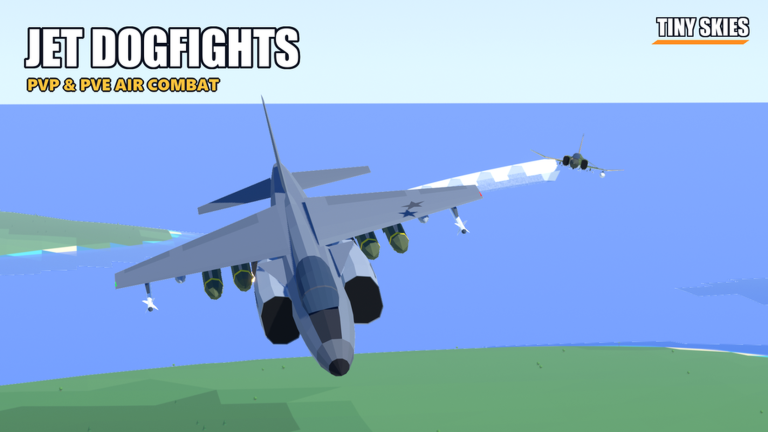
Flight School is Tiny Skies Fighter Jet & Helicopters’ built-in training track. It is short—often around five focused minutes—and it pays roughly 500 Credits when you complete the curriculum. More important than the payout is the shared control spine you rehearse: throttle, rotate, gear, rings, guns, and landing. Finish it before you donate lives in Dogfight or Strike.
This walkthrough assumes a brand-new Roblox account on katabin1’s experience. If you already cleared Flight School on PC but just switched to phone, run it again so thumbs learn the same beats—see mobile controls afterward.
Why Flight School first
Live lobbies teach through punishment. Miss the rotate speed and you cartwheel off the runway in front of fourteen players. Forget gear and you drag through every turn. Mash the wrong weapon button and you waste a heat-seeker on empty sky. Flight School compresses those lessons into a quiet space with clear markers.
The ~500 Credit reward also seeds your economy alongside promo codes such as BOMBERS and WELCOME. Together they fund an early airframe or upgrade without a painful grind. Pair this page with getting started and earn Credits for the full day-one money loop.
Step-by-step Flight School
1) Start training and enter the jet
Launch Tiny Skies, open Flight School from the available training option, and climb into the fighter the mode provides. You do not need a shop purchase. Confirm you can see throttle, gun, and gear controls—keyboard on PC, on-screen buttons on mobile.
2) Build speed to the takeoff cue
Hold Shift (or the mobile throttle-up control) to increase power. Watch speed climb toward the training cue around 150. Do not rotate at taxi speed. Early lifts stall; late lifts eat runway. The “about 150” window is the habit you want burned in for every later carrier and land takeoff.
3) Rotate smoothly and climb
Ease the nose up with the mouse (or aim stick). A gentle pull beats a panic yank. Once you leave the ground and the climb is stable, you are through the hardest first-minute failure point most new pilots hit.
4) Retract landing gear
Press G (or the gear toggle) to raise gear. Clean configuration reduces drag and makes the jet feel like the aircraft the rest of the game expects. Leaving gear down is the most common “why am I so slow?” mistake after Flight School.
5) Fly the rings
Follow the ring path around the training area. Aim for the center of each gate with smooth turns instead of last-second snaps. Rings teach pathing and throttle discipline: too fast and you overshoot, too slow and you sag. If you miss a ring, reset your line early rather than corkscrewing back through friends’ airspace habits you will later bring into Strike.
6) Practice guns on the targets
When shooting segments appear, hold left click (gun button on mobile) and close enough for hits to register. Guns remain the finishing tool in real matches even when you unlock fancy missiles. Learn to track with the mouse while firing instead of spraying from hopeless range.
Special weapons use Space after you cycle with R in live play. Flight School emphasizes the core flight-and-guns loop; deepen seekers, rockets, bombs, and flares on weapons and flares and the controls table once you graduate.
7) Land cleanly
Extend gear when the landing phase asks for it, manage throttle down with Ctrl, and flare the nose gently so you do not pancake. A controlled landing proves you can slow down on purpose—useful for carrier traps mentally even when Naval physics differ.
8) Collect the ~500 Credits
Finish the checklist the mode presents. Confirm the Credit payout lands on your account. If something failed to register, replay the incomplete step rather than assuming the reward will appear later in a random match.
Skills Flight School should leave you with
After one clean clear you should be able to:
- Reach ~150, rotate, and climb without stalling.
- Raise gear every takeoff without thinking.
- Fly a marked path without constant overcorrection.
- Land guns on a cooperative target while moving.
- Slow down and land instead of only knowing how to go fast.
If any bullet is still shaky, replay that segment. Tiny Skies has 21 jets and 7 helicopters, but every airframe assumes this foundation.
After Flight School: first live session plan
- Redeem live codes on the codes workflow (BOMBERS, WELCOME when active).
- Pick a free jet (F-5E, A-4, MiG-21) or free heli (Little Bird, Huey, Medevac).
- Queue team Dogfight to practice air merges, or Strike if you want helicopter ground work.
- Keep flares (X) and weapon cycling (R) in mind even if Flight School barely stressed them.
- Spend Credits using the priorities in earn Credits—airframes and upgrades before vanity paints.
Flight School on mobile
Phone pilots should complete Flight School in landscape with graphics low enough that rings and targets stay readable. The physics match PC; only the fingers change. If takeoffs feel random on touch, the problem is usually throttle timing or covering the aim point with your gun thumb—not a different training mode.
Common Flight School failures
- Rotating far below the speed cue and stalling into the runway.
- Forgetting gear and blaming the jet.
- Snapping through rings instead of lining up early.
- Spraying guns from max range and thinking the targets are broken.
- Skipping landing practice, then panic-diving into the first real carrier.
- Quitting one step early and missing the Credit grant.
How Flight School connects to the rest of the wiki
Flight School is the on-ramp, not the whole curriculum. Use controls as the permanent keybind sheet, getting started for hangar and mode choice, and earn Credits so the 500 Credit seed grows into a real hangar. When you are ready for theory beyond the tutorial, move into dogfight or the helicopter guide.
Quick reference card
| Step | Input habit | Success look |
|---|---|---|
| Power up | Hold Shift / throttle up | Speed near 150 |
| Rotate | Smooth mouse / stick pull | Clean liftoff |
| Clean up | G / gear toggle | Gear up, less drag |
| Rings | Smooth pathing | Centers, not edges |
| Guns | LMB / gun button | Hits on target |
| Land | Ctrl + gear + gentle flare | Rollout, not crater |
| Reward | Finish checklist | ~500 Credits banked |
Clear that card once with intention and Tiny Skies stops feeling mysterious. The hangar’s free aircraft become practice tools instead of lottery tickets, and your first Dogfight death is a tactics problem—not a “how do I even fly” problem.
Frequently Asked Questions
Quick answers about jets, helicopters, credits, and match modes.
How many Credits does Flight School give?
Completing Flight School grants about 500 Credits. It is a one-time style training payout that pairs well with promo codes for your first shop visit.
What speed should I reach before takeoff?
Build throttle until you are near the training cue around speed 150, then ease the nose up. Rotating much earlier often causes a stall.
Do I need to buy a jet for Flight School?
No. Flight School provides a training fighter. Free hangar aircraft are for live matches after you graduate.
Should I redo Flight School on mobile?
Yes if you mainly play on a phone. Repeating the rings and takeoff on touch locks thumb placement before competitive lobbies.
What should I do right after Flight School?
Redeem live codes, pick a free jet or helicopter, queue Dogfight or Strike, and save Credits for a mode-appropriate unlock instead of paints.