Tiny Skies Fighter Jet & Helicopters Getting Started in Tiny Skies
Your first hour on Roblox: teams, Flight School, free aircraft, codes, and the right mode for new pilots.
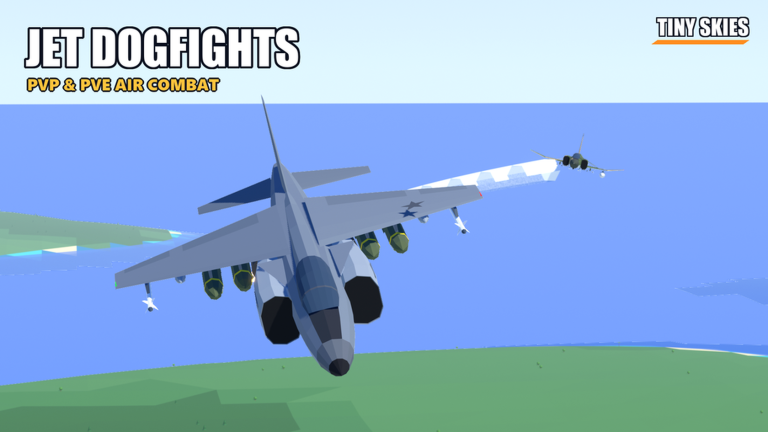
Tiny Skies Fighter Jet & Helicopters by katabin1 is a free-to-play Roblox air combat experience with 21 jets, 7 helicopters, and four match types: Strike, Dogfight, Free-for-All, and Naval. Up to fifteen players share the sky. This getting started guide walks you through a clean first session so you leave the hangar with credits in pocket, a free airframe you understand, and a control scheme that already feels automatic.
If you only remember three rules from this page: finish Flight School before sweaty lobbies, redeem live codes the same day you join, and spend early Credits on airframes that match the mode you actually play—not on paint schemes.
Join the server and pick a team
Launch the experience from the Roblox game page, wait for the lobby to load, then choose Red or Blue. Team choice matters most in Strike and Naval, where shared objectives decide the round. Dogfight and Free-for-All still use the hangar flow, but Free-for-All turns every other pilot into a threat, so treat team color as cosmetic there.
After you spawn, open the hangar and note the free starters. Jets unlocked for every new account include the F-5E, A-4 Skyhawk, and MiG-21. Free helicopters include the Little Bird, Huey, and Medevac. Those six airframes are enough to learn takeoff, guns, flares, and ground attack without opening the shop.
Complete Flight School first
Flight School is the safest place to learn Tiny Skies. It pays roughly 500 Credits when you finish the curriculum: throttle up, rotate near speed 150, raise gear with G, fly rings, practice guns, and land cleanly. The payout is small compared with a long grind, but the muscle memory is the real reward.
Do not skip it because you already fly other Roblox plane games. Tiny Skies uses mouse aim for flight and guns together, Space for selected special weapons, R to cycle loadouts, Shift / Ctrl for throttle, and X for flares. That shared scheme appears again in our controls and mobile controls pages. Five quiet minutes in Flight School beats ten deaths learning the same lesson in a live Dogfight.
Redeem codes before your first shop visit
Active promo codes (as of November 2026) include BOMBERS for 5,000 Credits and WELCOME for 1,000 Credits. Redeem them from the in-game codes UI as soon as you can. Combined with Flight School, a brand-new account can hold several thousand Credits before the first purchase.
Codes rotate. Always cross-check the live list on the codes hub before you trust a screenshot from chat. Never paste “codes” from random Discord bots that ask for your password—Tiny Skies redemption stays inside the experience.
Choose a mode that matches your aircraft
Tiny Skies offers four primary modes. Pick with intention on day one:
| Mode | What you do | Best free starters |
|---|---|---|
| Strike | Assault the enemy base, support ground pressure | A-4, Huey, Little Bird |
| Dogfight | Team air superiority | F-5E, MiG-21 |
| Free-for-All | Every pilot for themselves | F-5E, MiG-21 |
| Naval | Carrier battles and sea targets | A-4, Huey |
Read the deeper breakdown in match modes once you know the basics. New jet pilots usually learn fastest in team Dogfight, where friendly fire pressure is lower than Free-for-All and objectives are clearer than a full Strike push. Helicopter mains should sample Strike early—low altitude and rockets matter more there than pure turn fighting.
Learn the control spine once
Memorize the PC spine before you invent custom habits:
- Mouse — fly and aim guns
- Left click — guns
- Space — missiles, rockets, or bombs (selected weapon)
- R — cycle weapons
- Shift / Ctrl — throttle up / down
- X — flares against heat-seekers
- M — map
- Tab — scores
- G — landing gear
Mobile players get the same actions on sticks and on-screen buttons. Landscape orientation helps aim; lower graphics if touch lag appears mid-merge. Pair this page with weapons and flares so you know when to press X, not only that X exists.
Earn Credits without burning the night
After Flight School and codes, Credits come from matches, missions, daily rewards, medals, and mid-match events such as kill streaks, bomber raids, and convoys. High-impact play—objectives in Strike, carrier pressure in Naval, clean multi-kills in Dogfight—beats camping the edge of the map for scrap.
Use the earn Credits guide for farming routes by mode. Early spend priority should be a second airframe that covers a role your free hangar lacks, then basic upgrades that help the modes you queue. VIP and Auto Rearm are convenience layers; they are not required to enjoy the game or climb leaderboards as a skilled free pilot.
Shop without traps
The shop sells airframes, paint schemes, upgrades, VIP, and Auto Rearm. Paint does not win dogfights. Unlock order should follow your mode: air superiority jets for Dogfight and Free-for-All, strike and anti-ship options for Naval, and attack helicopters for base runs. Cross-check the jets tier list and helicopters tier list before you dump BOMBERS Credits into a flashy mid-tier frame.
A practical first-hour unlock path looks like this:
- Finish Flight School (~500 Credits).
- Redeem BOMBERS and WELCOME.
- Play two Dogfight or Strike matches in a free jet or heli to confirm you like the feel.
- Buy one role-filling airframe or a meaningful upgrade—not three paints.
- Bookmark shop, VIP, and upgrades for later planning.
Mid-match systems worth noticing
Even in your first games you will see day/night lighting shifts, carrier launches in Naval, ejection when a jet is dying, and scripted pressure from bomber raids or convoys. Treat those events as score opportunities rather than distractions. Medals and streaks stack Credits and momentum; ignoring them is leaving free value on the table.
First-session checklist
- Join Red or Blue and open the hangar.
- Note free jets (F-5E, A-4, MiG-21) and free helis (Little Bird, Huey, Medevac).
- Clear Flight School and bank ~500 Credits.
- Redeem live codes on the codes page workflow.
- Read controls (and mobile controls if you play on phone).
- Queue a forgiving mode—team Dogfight or Strike—in a free airframe.
- Practice guns first, then Space weapons, then flare timing from weapons and flares.
- After a few matches, skim earn Credits and the tier lists before your first big shop buy.
Follow that loop and your second session starts with real hangar options instead of confusion. Tiny Skies rewards pilots who learn the shared control scheme once, then specialize—jets for energy fighting, helicopters for low-altitude Strike work, and careful Credit spending for the airframes that actually move your win rate.
Frequently Asked Questions
Quick answers about jets, helicopters, credits, and match modes.
What should I do first in Tiny Skies Fighter Jet & Helicopters?
Join a team, finish Flight School for roughly 500 Credits, redeem live codes such as BOMBERS and WELCOME, then queue a free jet or helicopter in Dogfight or Strike.
Which aircraft are free for new players?
Free jets include the F-5E, A-4 Skyhawk, and MiG-21. Free helicopters include the Little Bird, Huey, and Medevac. Those six frames cover early air and ground roles.
Do I need VIP or Auto Rearm on day one?
No. Learn controls, clear Flight School, and unlock a mode-appropriate airframe first. VIP and Auto Rearm are convenience purchases, not beginner requirements.
Which mode is best for absolute beginners?
Team Dogfight teaches air combat with clearer roles than Free-for-All. Strike is better if you prefer helicopters and base assault. Save Naval until takeoffs and weapons feel natural.
Where do I learn the full keyboard layout?
Use the Controls guide for the PC table and takeoff checklist, and the Mobile Controls guide if you play on a phone or tablet.